Creating a beautiful and professional photography website doesn’t have to be hard or time-consuming. Thanks to the powerful Divi theme for WordPress, photographers can now build stunning online portfolios without needing any coding skills. Divi is one of the most popular and flexible WordPress themes, offering a visual drag-and-drop builder, hundreds of layouts, and full customization options to match your style. Whether you’re a professional photographer, a freelancer, or just someone who loves taking pictures, Divi makes it easy to share your work with the world.
Instead of starting from scratch, you can choose from some of the best Divi website layouts for photographers. These pre-made layouts help you save time, look more professional, and get your site up and running quickly. In this guide, we’ll explore some of the top Divi photography layouts that are easy to use, mobile-friendly, and designed to help your photos stand out online.
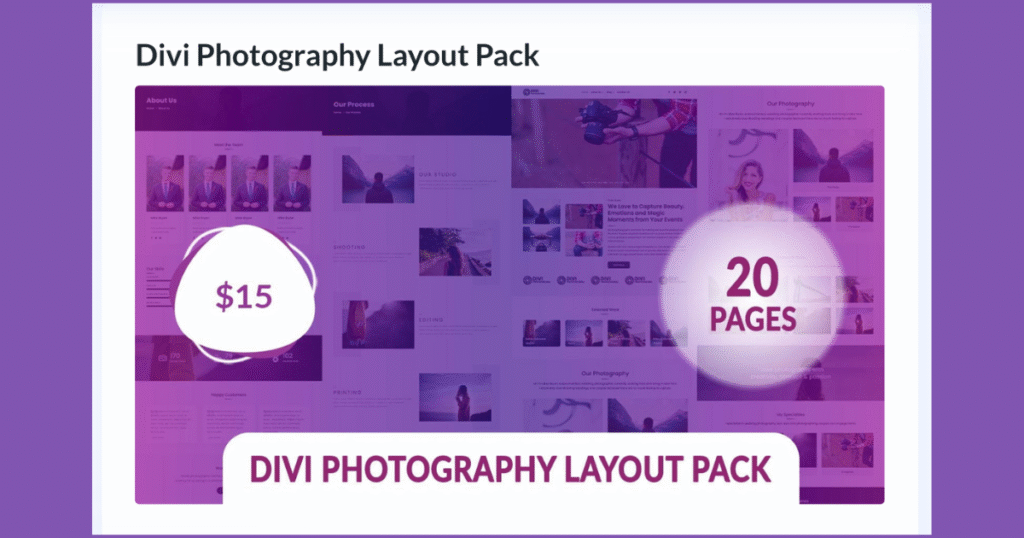
Divi Photography Layout Pack – Comprehensive Solution for Creative Professionals
The Divi Photography Layout Pack is a full-featured, pre-designed website layout ideal for professional photographers, studios, and visual creatives. Its structure encompasses essential components such as galleries, service listings, blog modules, and pricing tables, facilitating an end-to-end user experience that aligns with client expectations and aesthetic standards.
Key Features of Divi Photography Layout Pack:
20 Pre-Made Pages – Enabling rapid deployment of entire websites
Fully Responsive Design – Ensuring seamless display across desktop, tablet, and mobile platforms
Modern Aesthetic and Clean UI – Prioritizes user experience while showcasing high-resolution imagery
Hover Animations – Introduce interactivity and engagement
Regular Updates and Lifetime Support – Ensures long-term viability and technical assistance
This layout serves as a scalable foundation, suitable for both single-portfolio sites and larger creative agencies seeking an adaptable template structure.
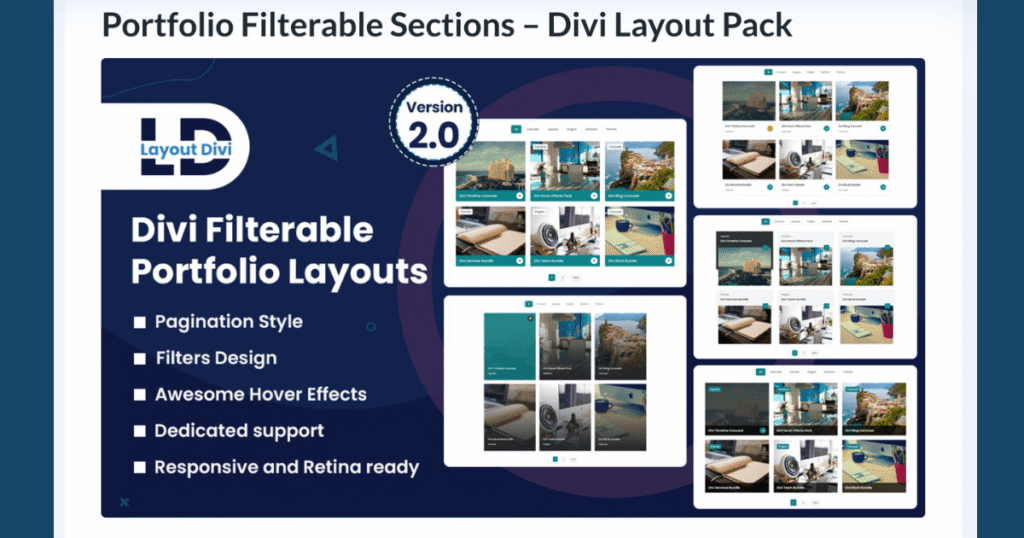
Divi Filterable Portfolio Module Layout Pack – Dynamic Filtering for Enhanced Navigation
For photographers seeking advanced portfolio filtering capabilities, the Divi Filterable Portfolio Module Layout Pack offers a high level of content organization paired with a refined UI. With 40+ layout variations, this package is particularly useful for showcasing large volumes of categorized work, including commercial projects, case studies, or niche collections.
Key Features of Divi Filterable Portfolio Module Layout Pack:
Over 40 Unique Layouts – Optimized for creative portfolios and project presentation
Custom Pagination Styles – Enhances user interaction and load efficiency
Mobile-Optimized & Responsive – Designed for consistent cross-device functionality
Built Entirely with Native Divi Modules – Ensures optimal performance and compatibility
No Additional Plugins Required – Reduces potential plugin conflicts
One-Time Fee: $9.99 – Unlimited site usage with full support and updates
This layout is particularly effective for users managing portfolios with varied content types, enabling clean separation by category without compromising visual coherence.
Live Demo Available – Preview the filterable interaction and responsiveness.
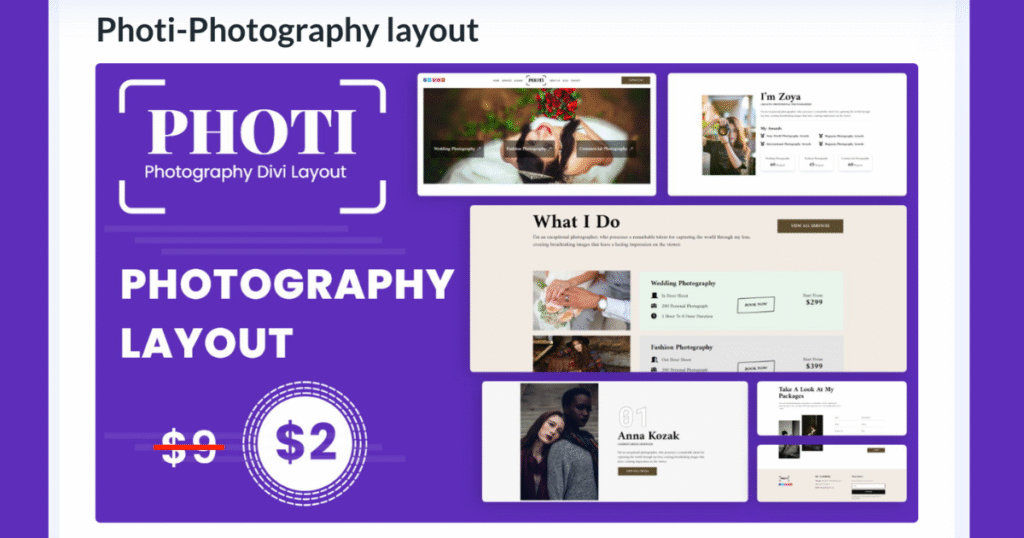
Photi Photography Layout – Elegant Visual Presentation with Streamlined Setup
The Photi Photography Layout is tailored for creatives requiring a lightweight yet visually impactful Divi solution. Designed with elegance and user experience in mind, this layout is highly suited for individual photographers, bloggers, and artists aiming to maintain a minimal yet sophisticated online presence.
Key Features of Photi Photography Layout:
Fully Responsive Design – Fluid rendering across all major device breakpoints
Optimized for Visual Content – Emphasizes photography without design distractions
One-Click Import Functionality – Streamlined setup, including automatic import of icons and assets
Modern Layout Aesthetic – Balances minimalism with professional design standards
One-Time Fee: $7 – Includes lifetime updates and a 30-day refund window
Photi’s minimalist yet powerful structure allows for brand expression while maintaining performance and accessibility.
Live Demo Available – Inspect the design responsiveness and layout fluidity.
Conclusion: Selecting the Optimal Divi Layout for Photography Websites
Each of the aforementioned Divi layouts for photographers addresses specific requirements within the professional visual content space. The Divi Photography Layout Pack offers a complete, multi-page architecture for comprehensive portfolio needs. In contrast, the Filterable Portfolio Layout Pack prioritizes interactivity and advanced content segmentation, while Photi delivers an aesthetically refined solution suited to minimalistic portfolio presentations.
In conjunction with Divi’s visual builder, these layouts offer drag-and-drop customization, SEO optimization, responsive design frameworks, and scalability for future enhancements. With cost-effective pricing, lifetime support, and seamless integration with the WordPress ecosystem, these solutions present a reliable and efficient approach for building a visually engaging and performance-driven Divi photography website.Professionals in the photography and creative industries are encouraged to evaluate these layouts based on content volume, desired user interactions, and long-term scalability to ensure alignment with brand goals and digital marketing strategies.
If you want to build a beautiful website without coding, then using WordPress with Divi is the perfect match. WordPress is the most popular website platform in the world, and Divi is one of the best WordPress themes with a built-in visual builder. Together, they give you everything you need to design fast, responsive, and professional websites—even if you’re a complete beginner.
In this post, we’ll show you why Divi and WordPress work so well together, what makes Divi special, and how this combination helps you build stunning websites for blogs, businesses, eCommerce stores, and more.
Why WordPress Is the Best CMS for Building Websites
WordPress powers over 43% of all websites on the internet. That’s because it’s open-source, easy to use, and highly flexible. Whether you’re making a personal blog, business site, or online store, WordPress is a smart and reliable choice.
Key Reasons to Use WordPress:
Free & Open Source – No license required. Use it however you want.
Thousands of Plugins – Add contact forms, SEO tools, backups, and more.
SEO-Friendly – Works great with SEO plugins like Yoast SEO and Rank Math.
Scalable – From small websites to big brands like Sony and BBC.
Huge Community – Tons of support, guides, themes, and tutorials.
WordPress is trusted, flexible, and perfect for all types of websites.
Why Divi Is the Best WordPress Theme
Divi is more than just a theme—it’s a complete website design tool. With Divi’s drag-and-drop builder, you can create beautiful websites in real time without touching code.
Whether you’re a beginner or pro, Divi makes website design fun, fast, and stress-free.
Why People Love Divi:
All-in-One: Comes with a built-in page builder—no extra plugins needed
No Coding Required: Just drag, drop, and customize visually
Lifetime Plan: Pay once and use it forever on unlimited sites
Beginner-Friendly: Easy for new users, but powerful for developers
Use on Unlimited Sites: Great value for freelancers and agencies
How Divi Works Perfectly with WordPress
Divi is fully made for WordPress, which means they work together smoothly on any hosting platform.
Divi + WordPress = Smooth Experience:
One-Click Setup – Easy install and ready to use
Works With Any Hosting – Bluehost, SiteGround, WP Engine, etc.
Plugin Friendly – Works great with WooCommerce, Rank Math, ACF, and more
Always Updated – Compatible with the latest WordPress versions
With Divi and WordPress, you’ll never run into compatibility issues.
Divi Features That Make Website Design Easier
Divi comes with powerful tools to help you build websites faster and smarter. Everything is visual, so you can design pages while seeing your changes live.
Top Divi Features:
Drag & Drop Builder – Easy editing on the front-end
Undo/Redo Option – Fix mistakes quickly
800+ Layouts – Ready-to-use templates for landing pages, shops, and blogs
Global Styling – Change fonts, colors, and buttons site-wide in seconds
Mobile Editing – Customize for phones, tablets, and desktops
Divi AI – Use AI to write content or generate layouts by describing your idea
Divi saves you hours of work and helps you design like a pro.
Divi Is Fast & SEO-Optimized
Some people think visual builders slow down websites—but Divi is built for speed and SEO.
Performance and SEO Features:
Clean Code – Lighter than many other builders
Dynamic CSS/JS Loading – Only loads what your page needs
Works With Caching Plugins – WP Rocket, LiteSpeed, and more
Great for Google Rankings – Fast loading = better SEO
SEO-Friendly Structure – Divi + WordPress = Strong foundation for search visibility
With Divi and WordPress, your website will load fast and rank better.
Who Should Use WordPress + Divi?
This powerful combo is perfect for everyone—from beginners to agencies.
Ideal for:
Beginners – No coding, easy learning, and real-time design
Online Store Owners – Full support for WooCommerce and eCommerce tools
Bloggers & Marketers – SEO-ready with clean design and fast speed
If you want full control, fast setup, and pro-quality results—Divi is for you.
Divi vs Other Page Builders
Let’s compare Divi with popular builders like Elementor and Beaver Builder:
Feature
Divi
Elementor
Beaver Builder
Pricing
✅ Lifetime Deal
❌ Yearly Only
❌ Yearly Only
Layouts
800+
300+
100+
Ease of Use
⭐⭐⭐⭐⭐
⭐⭐⭐⭐
⭐⭐⭐
Speed
🚀 Fast
🐢 Slower
⚡ Lightweight
AI Tools
✅ Yes
❌ No
❌ No
Divi wins in value, features, and speed—especially for long-term use.
Should You Use Divi with WordPress?
Absolutely! If you want an easy-to-use, all-in-one website builder, Divi with WordPress is the perfect choice. You get a visual editor, hundreds of layouts, SEO tools, and a lifetime pricing option—all designed to help you build faster, smarter, and without stress.
Whether you’re starting your first blog, building an online shop, or creating websites for clients, Divi + WordPress gives you the power to create stunning, high-performing websites without hiring a developer.
Conclusion: Build Your Dream Website Today with WordPress + Divi
WordPress and Divi are a dream team for website creation. You get the power, flexibility, and freedom of WordPress, combined with the easy visual design and smart tools of Divi. With 800+ templates, drag-and-drop editing, mobile optimization, and top-notch SEO support, Divi helps you launch beautiful websites faster than ever.
No matter your experience level—beginner, freelancer, agency, or store owner—Divi gives you the tools to build like a pro. And with its lifetime access, you save money while gaining unlimited design freedom.
Are you building a WooCommerce store but not sure whether to use Divi or Elementor? You’re not alone. The debate of Divi vs Elementor for WooCommerce is very common among WordPress users. Both are powerful WordPress page builders with easy drag-and-drop tools, great design features, and full WooCommerce support.
In this simple guide, we’ll compare Divi and Elementor to help you pick the best page builder for your eCommerce website. Whether you’re a small business owner, online store builder, freelancer, or agency, this post will make your choice easier.
What Is Divi and How Does It Work with WooCommerce?
Divi is a full WordPress theme and page builder made by Elegant Themes. It works perfectly with WooCommerce, giving you ready-made modules like Add to Cart buttons, Product Titles, Ratings, and Galleries—all of which you can fully customize.
With Divi Builder, you can design every part of your WooCommerce store: home page, shop page, product page, cart, and checkout. Everything is editable with drag-and-drop, so you don’t need to know any coding.
Divi also works well with tools like Mailchimp, Stripe, PayPal, and WooCommerce payment gateways, making it a great option for any online shop.
What Is Elementor and How Does It Support WooCommerce?
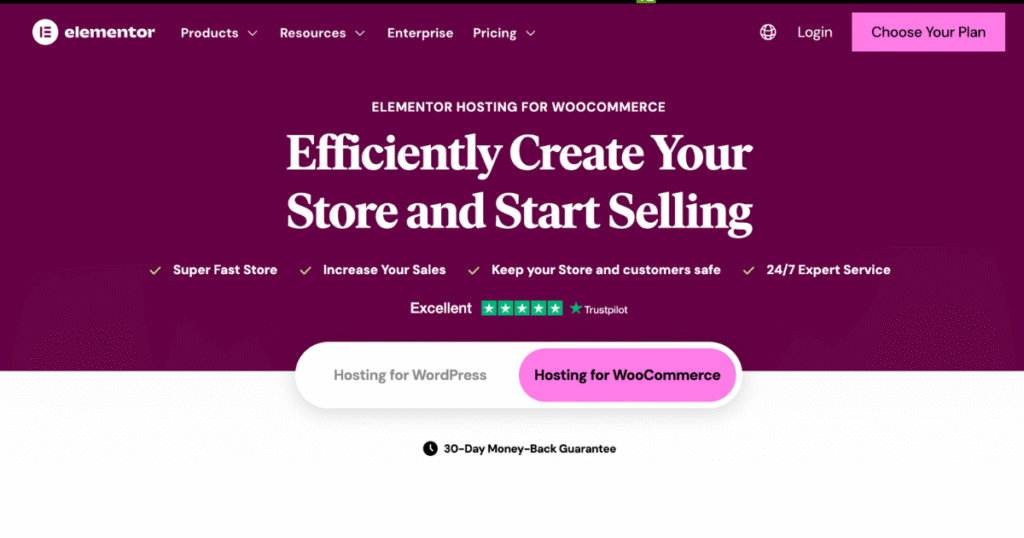
Elementor is a WordPress plugin that lets you create websites easily. With Elementor Pro, you get the full WooCommerce Builder, so you can design product pages, cart pages, and even My Account pages.
It has a real-time preview, simple drag-and-drop tools, and mobile-friendly designs. You can also use Elementor templates or create your own. Elementor lets you add pricing tables, reviews, and product sliders in a few clicks.
Unlike Divi, Elementor is only a plugin, so you can use it with any WordPress theme.
Divi vs Elementor: WooCommerce Features Comparison
Both Divi and Elementor have great WooCommerce features, but here’s how they differ:
Divi WooCommerce Modules: You get 20+ modules made just for WooCommerce. These are deeply customizable and support global styling and conditional display options.
Elementor WooCommerce Widgets: Elementor gives access to WooCommerce page designs only in Elementor Pro. It’s simple to use but has fewer WooCommerce widgets compared to Divi.
So, if you want more design control, Divi is the better choice. But for quick and clean store building, Elementor is great—especially for beginners.
Divi has inline text editing, section stacking, and a clean visual builder. It offers both front-end and back-end editing, which is perfect for people who like more control.
Elementor is easier for beginners. It has a sidebar interface and real-time preview, making it fast and friendly for first-time users.
If you’re just starting with WordPress or WooCommerce, Elementor might feel easier. But if you want to build complex, advanced layouts, Divi gives you more options.
Divi vs Elementor: Which One Is Faster?
Both builders have made big improvements in speed:
Divi Performance: Features like dynamic CSS, reduced code output, and script optimization help Divi load faster. It works even better with caching tools and CDNs.
Elementor Speed: Elementor is also optimized but can be slower on cheap hosting. Some users report longer load times for heavy product pages.
In recent tests, Divi performs slightly better with large WooCommerce stores and complex layouts.
Divi Layout Packs vs Elementor Templates
Divi has over 2,000+ layout packs and 300+ complete website kits. You can import ready-made eCommerce designs with headers, footers, and product pages in seconds.
Elementor Pro offers 300+ templates, including WooCommerce kits. These templates are clean and professional but come in smaller numbers compared to Divi.
So, if you need more pre-built designs, Divi offers more WooCommerce templates and layout packs.
Unique Features Comparison
Let’s compare their unique features:
Divi Highlights:
Divi AI for smart content and design suggestions
Divi Cloud for saving and reusing layouts
VIP Support and full access to all Elegant Themes products
Elementor Highlights:
Popup Builder for lead generation
Motion Effects for animations
Global Widgets and Marketing Integrations like Mailchimp & Zapier
If you want AI and design flexibility, go with Divi. For marketing features, Elementor Pro offers more built-in tools.
Can You Use Divi and Elementor Together?
Yes, technically you can install both. But it’s not recommended.
Using Divi and Elementor on the same site can cause design clashes, CSS conflicts, and performance issues. For a smooth WooCommerce store, stick to one builder.
Pricing: Which Builder Offers Better Value?
Feature
Divi
Elementor Pro
Annual Cost
$89/year (unlimited sites)
$59/year (1 site)
Lifetime Plan
✅ Yes ($249 one-time)
❌ No
WooCommerce Features
✅ Full with all plans
✅ Full with Pro only
Pre-Built Templates
✅ 2000+ Layouts
✅ 300+ Templates
If you’re building multiple WooCommerce websites or working as a freelancer/agency, Divi gives much better value. If you just want one fast store and don’t mind yearly payments, Elementor Pro is still a great choice.
Conclusion: Which One Should You Choose for WooCommerce?
If you’re looking for advanced design control, a huge library of pre-made WooCommerce templates, and the best long-term value with lifetime access, then Divi is the perfect fit for your online store. It’s ideal for freelancers, agencies, and anyone building multiple eCommerce sites.
On the other hand, if you’re a beginner or just need a fast and easy way to launch a WooCommerce website, Elementor Pro offers a user-friendly experience with great features for marketing, lead generation, and customization.
Both Divi and Elementor are trusted by millions and fully support WooCommerce integration, responsive design, and SEO optimization. No matter which one you choose, you’ll be able to build a high-performing, professional online store that converts visitors into customers.Pick the builder that matches your workflow and WooCommerce store goals—and start building today!
Looking for the best Divi landing page templates for mobile apps? You’ve come to the right place! Promoting your mobile app with a professional, responsive, and eye-catching landing page can make a huge difference in how many users you attract and how many downloads you get. With Divi’s flexible and powerful design capabilities, creating a high-converting app landing page has never been easier.
Whether you’re an app developer, a startup, or a business owner, choosing the right Divi mobile app landing page layout is key to boosting your app’s visibility, increasing engagement, and encouraging more people to download your app. In this guide, we’ll explore the best Divi templates for mobile apps that are not only visually stunning but also optimized for conversions and fully customizable to match your brand.
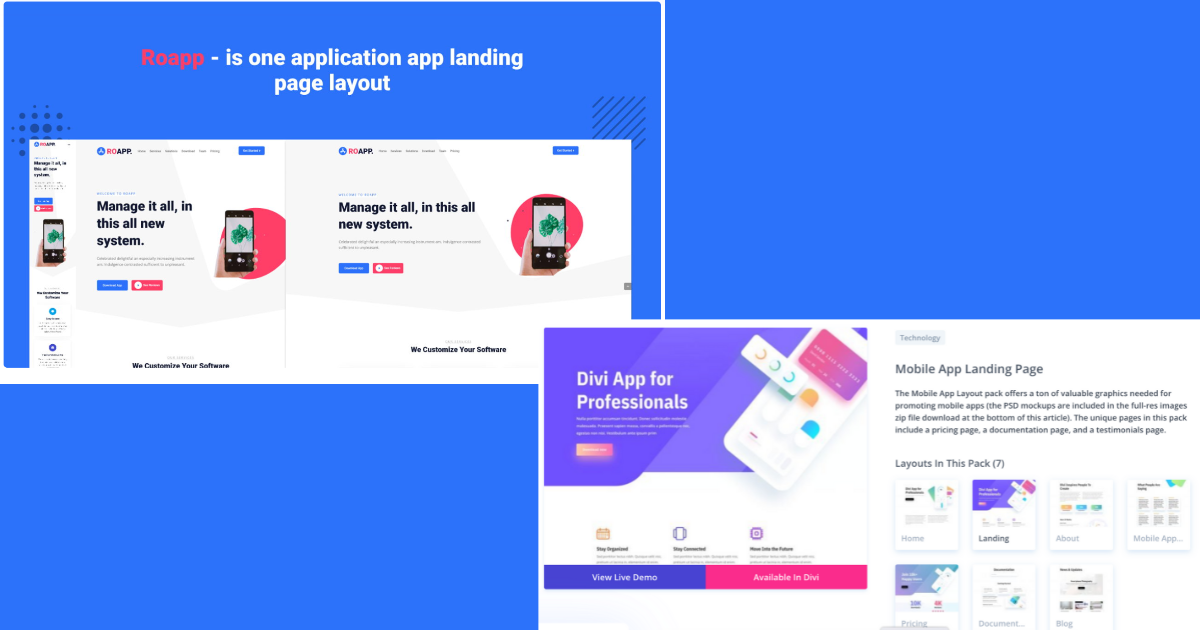
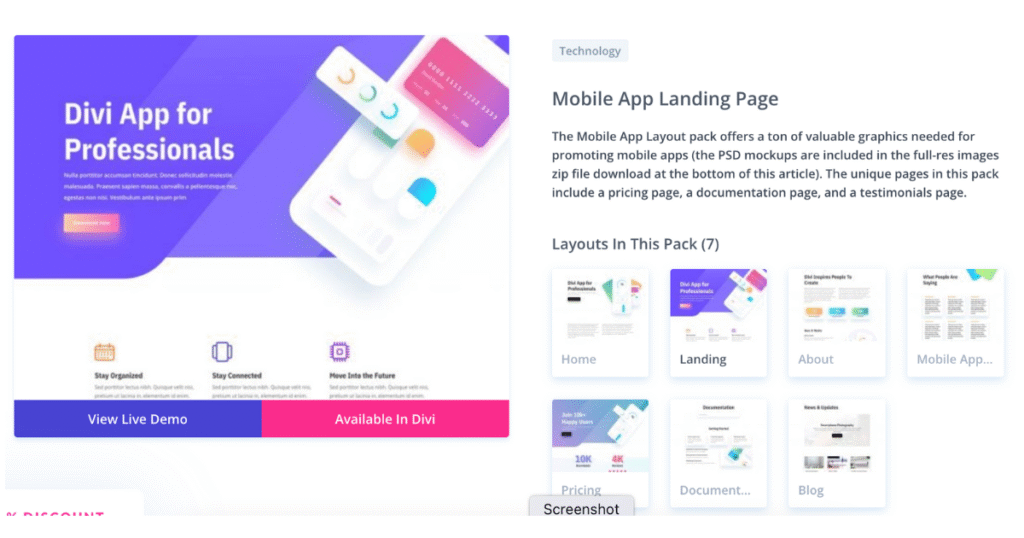
The Mobile App Landing Page Divi Layout is a perfect option for anyone launching a mobile application. Whether you’re building a Divi portfolio website, a photography showcase, or a dedicated mobile app landing page, this layout provides everything you need to make your app stand out.
Designed with bold visuals, clean typography, and a conversion-focused layout, this template helps highlight your app’s features and benefits while encouraging users to take action. It even includes free full-resolution PSD mockups to make customization super easy!
Key Features
Modern, high-quality design with original graphics and visuals
Includes separate sections for pricing, documentation, and testimonials
Fully responsive and mobile-optimized for all screen sizes
Seamless integration with the Divi Builder for easy editing
SEO-optimized to help improve your app’s online visibility
Why Choose the Mobile App Landing Page Layout?
Built for Conversions: Includes strategic CTA buttons and clear content areas that guide users toward downloading your app.
Easy to Customize: Adjust colors, fonts, images, and text using the Divi drag-and-drop editor—no coding needed!
Great User Experience: The layout is clean and engaging, making it simple for users to explore your app’s features, pricing, and reviews.
Pricing
Free for all Divi users! Just download this layout and start building your mobile app landing page without any additional cost.
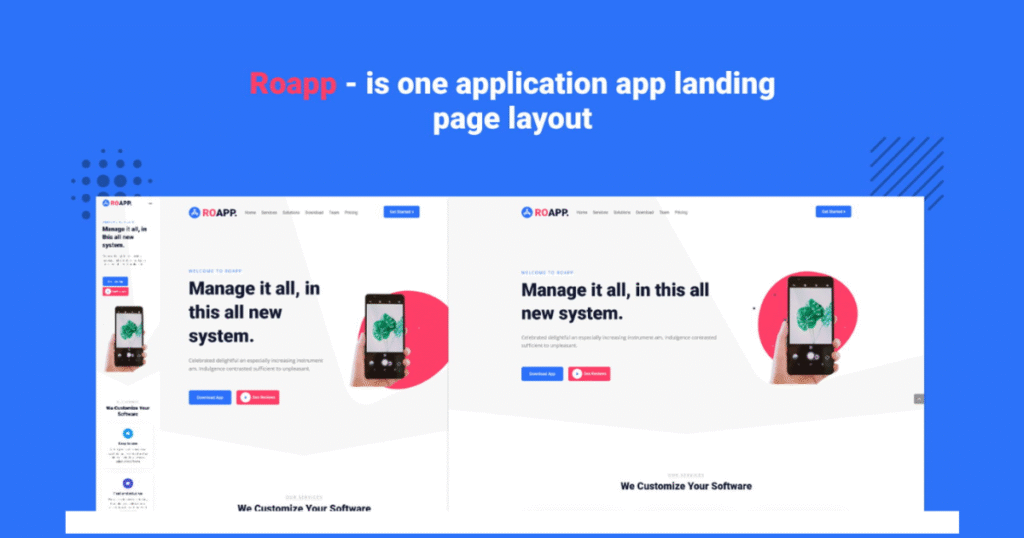
Application RoApp – Mobile App Landing Page Layout Pack
The Application RoApp Divi Layout Pack is another excellent choice for developers and businesses wanting to promote their mobile apps professionally. This modern mobile app landing page template for Divi comes with 7 pre-made pages, sleek UI elements, and full customization features to help you launch your app with confidence.
Whether you’re looking to build an app showcase website, present features, or share user reviews, RoApp is your all-in-one solution.
What’s Included in RoApp Layout Pack?
Stunning visual design with sleek, mobile-friendly UI elements
Full-resolution PSD mockups for easy image and branding updates
SEO-friendly layout to help improve search engine rankings
Mobile-responsive for smooth browsing on all devices
Full Divi compatibility – edit everything with drag-and-drop ease
7 Pre-Built Pages in RoApp
Home Page – Introduces your app with style and clarity
Landing Page – Designed to boost downloads with a strong CTA
About Page – Tell your brand story and mission
Testimonials Page – Build trust with user reviews
Pricing Page – Show your app plans and pricing options
Documentation Page – Share help guides and app instructions
Blog Page – Post updates, features, and tips for your users
Why Choose Application RoApp?
Complete Website Pack: Everything you need in one package to support and promote your app
Easy Customization: Modify every element using Divi’s visual editor—perfect for non-designers
Professional Design: Built with performance and conversion in mind
Fast & Responsive: Optimized for both speed and mobile usability
Conclusion: Build the Perfect Mobile App Landing Page with Divi
Creating a powerful and attractive landing page is one of the best ways to market your app and increase downloads. With these Divi landing page templates for mobile apps, you don’t need to be a designer or coder to build a stunning, high-converting page.
Whether you choose the Mobile App Landing Page Layout or the Application RoApp Pack, both options are mobile-responsive, SEO-optimized, and fully customizable using the Divi Builder. They’re perfect for startups, developers, and app businesses looking to improve online visibility and gain user trust.
Don’t start from scratch—download your favorite Divi app landing page template today, customize it to match your brand, and turn your app visitors into loyal users with ease.