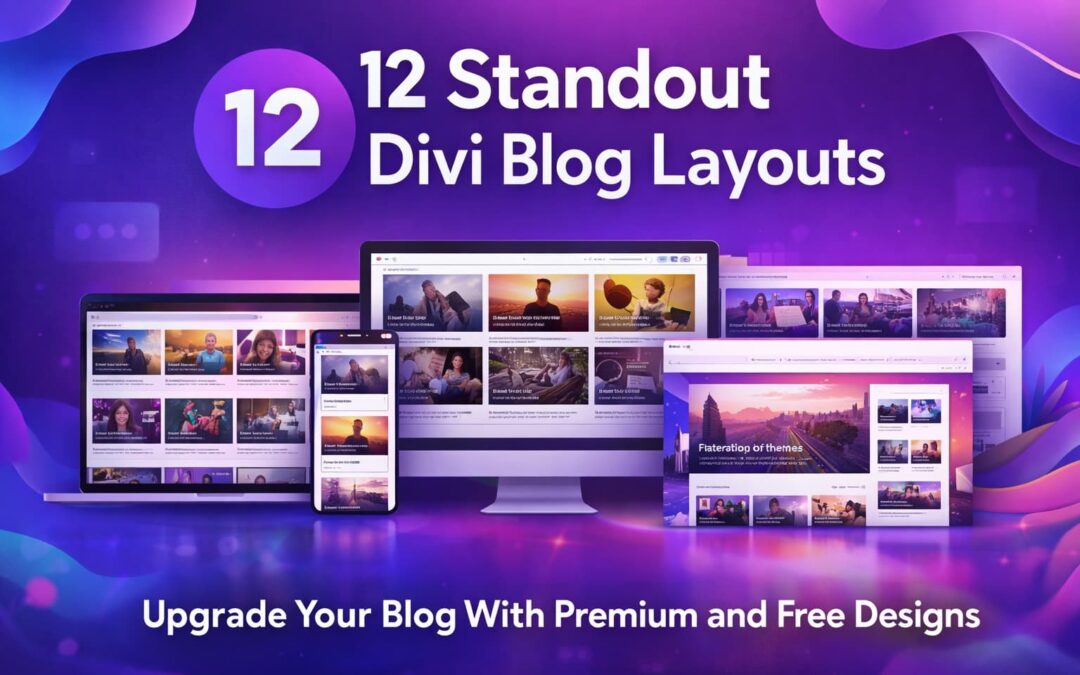
A lot of Divi sites have the same problem: the homepage looks great, the service pages look polished and then the Divi blog looks like a default archive page. If you’re trying to rank for terms like divi blog layout, divi blog templates, or divi blog post template, that’s a missed opportunity. Your blog is often where visitors decide if they trust you, subscribe to your newsletter, or click deeper into your content.
This guide breaks down 12 standout Divi blog layouts (blog pages, archives, and post templates) with the details people actually care about: key features, real benefits, pros and cons, who each layout is best for, and how to use them without overcomplicating your build. You’ll also see which ones work best as a Divi template blog system (so your blog page, categories, search results, and single posts all match).
Quick comparison: which Divi blog layouts are best for what?
| Layout | Best used for | Skill level | Cost |
|---|---|---|---|
| Divi Blog Kit | Full blog system (page + archives + posts) | Medium | Premium |
| Blog Template | Blog page + categories + posts | Medium | Premium |
| Travel Lifestyle Blog Kit Bundle | Lifestyle/magazine blog kit styles | Medium | Premium |
| Divi Blog Page Layout | Better blog homepage fast | Beginner | Free |
| Blogging | Lots of blog styles (grid, masonry, slider, etc.) | Medium | Premium |
| Magnewz | Magazine layout by categories | Medium | Premium |
| Elegant Blog Page | Magazine blog page with styling | Medium | Free |
| Pixie Blog Layout | Clean blog page + opt-in feel | Beginner | Free |
| Better Blog Page | Archive page designs (categories/search) | Medium | Premium |
| Archive Results | Category + search results templates | Medium | Free |
| Single Post Layouts | Multiple Divi blog post layout options | Medium | Premium |
| Jo Post Layouts | Stylish editorial post templates | Beginner Medium | Premium |
Now let’s go layout by layout.
Blog Layout Packs (Theme Builder style systems)
These are the “best bang for consistency” because they can cover your blog page, archives, and single posts in one design language.
1) Divi Blog Kit
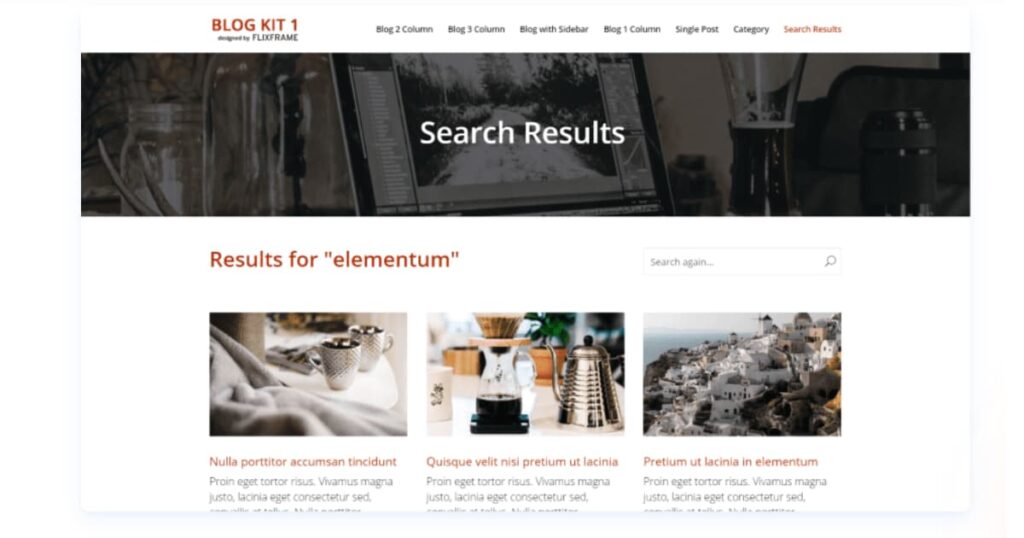
What it is: A complete blog kit that includes layouts for your blog page, blog posts, category archives, and search results pages. It’s designed to work like a unified system rather than a single page you import once and forget.
Key features
- Multiple blog module layouts (including 1, 2, and 3-column blog sections)
- Sidebar styling that actually looks designed (not default widgets thrown in)
- Matching templates for archives and search results (often the most ignored pages)
- Consistent headers so category pages and search pages don’t feel “separate”
Benefits
If you care about SEO and UX, this type of kit is gold because your internal pages (category archives, search pages) stop looking generic. That matters when someone lands on a category page from Google and decides whether your site feels trustworthy.
Pros
- Everything matches: blog page, post template, archives, search
- Strong structure for readers (easy scanning, clear hierarchy)
- Great foundation for a serious Divi template blog
Cons
- Takes a little more setup time than “import a page and done”
- Best results happen when you also tidy up your sidebar widgets and categories
Best for: content-heavy sites, agencies, niche blogs with multiple categories, and anyone who wants a polished divi blog layouts system.
Get Divi Blog Kit now.
2) Blog Template
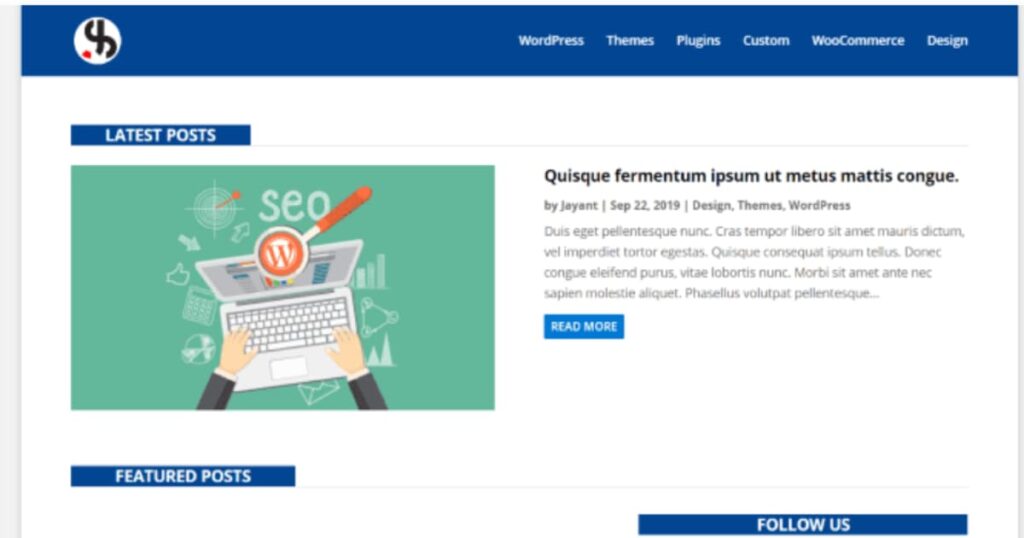
What it is: A set of layouts for building the blog page, category pages, and individual post page (plus often a contact page), with cohesive sidebar and footer styling.
Key features
- Blog page layout that highlights latest + featured content sections
- Category page design that feels intentional
- Single post template included, so posts don’t look “default
- Styled sidebar and footer to keep the layout clean
Benefits
This is a practical option when you want a strong blog experience but don’t want something too “magazine heavy.” It’s often a clean, business-friendly design that works across industries.
Pros
- Balanced: professional, not overly trendy
- Great for service businesses that blog for SEO
- Provides structure for both blog listing and post reading
Cons
- Not as “feature-rich” as larger kits with tons of variations
- If you want advanced magazine category routing, other layouts do that better
Best for: service business blogs, consultants, SaaS blogs, and brands that want clean structure.
Blog Page Layouts (upgrade your blog homepage)
These focus specifically on your main blog page (the place people browse your posts). If your blog page looks like “just a feed,” start here.
3) Travel Lifestyle Blog Kit Bundle (Journal, Nomad, Coast)
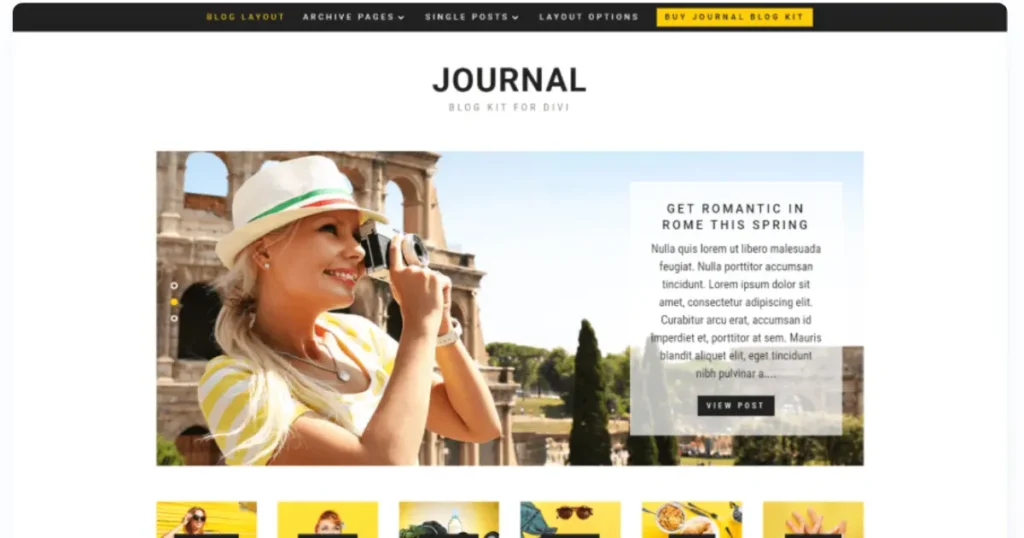
What it is: A bundle of blog kits in different styles, built around magazine-like browsing and strong single-post presentation.
Key features
- Multiple kit styles (so you can match your brand vibe)
- Single post templates included with navigation, author box, tags, related posts
- Styled sidebars that look integrated
- Layout styling that extends across archives and search pages (huge plus)
Benefits
This bundle is great when your blog is a core part of your brand (not just “posts for SEO”). The designs encourage browsing by category and make content feel like a publication.
Pros
- Strong content experience: author, navigation, related posts
- Looks premium without needing custom design from scratch
- Great for growing newsletter lists and return visitors
Cons
- More choices can slow you down if you don’t pick a style and commit
- Not the best fit for minimal “corporate” blog vibes
Best for: lifestyle, travel, personal brands, creators, and category-driven blogs.
Get the Travel Lifestyle Blog Kit Bundle now.
4) Divi Blog Page Layout (Free)
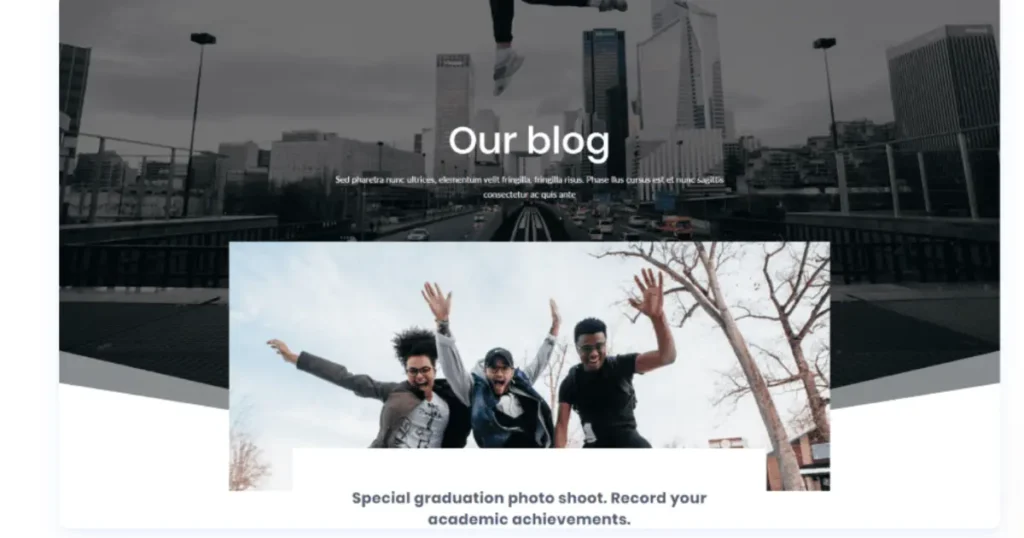
What it is: A free blog page layout with a distinctive header and a featured “most recent post” section that overlaps into the layout for a modern look.
Key features
- Featured post presentation right at the top
- Hover effects that add polish without overdesign
- Simple structure that you can customize quickly
Benefits
If you need a free Divi blog post template style upgrade for your blog homepage, this is one of the fastest wins. It makes your blog page look designed without needing a full kit.
Pros
- Free, quick to use, easy to customize
- Looks modern compared to default Divi blog feeds
- Great starting point for beginners
Cons
- Focused on the blog page only (you’ll still want a post template)
- Might need tweaks if you have many categories and want magazine routing
Best for: new blogs, small business sites, quick redesigns.
Get the free Divi Blog Page Layout now.
5) Blogging (Multiple blog layout styles)
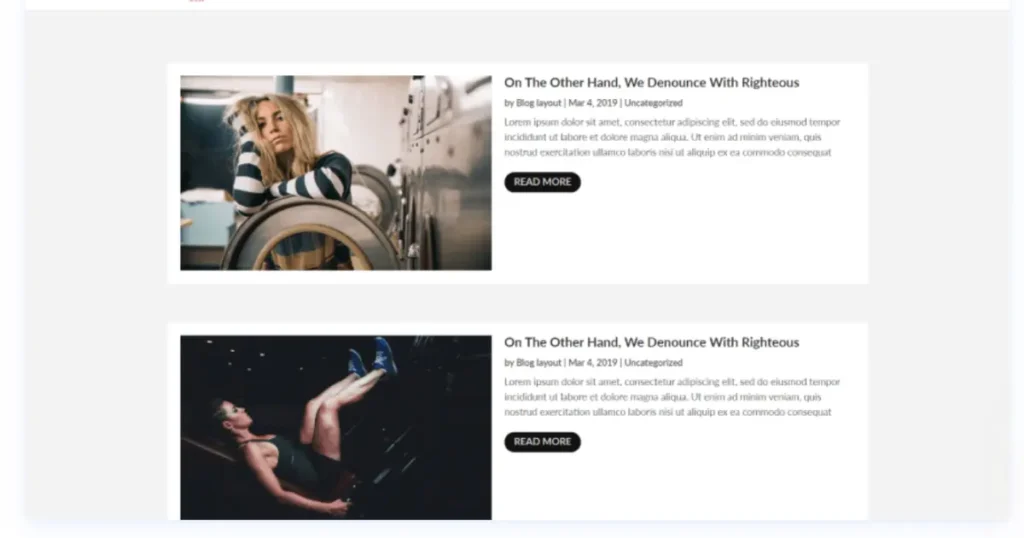
What it is: A layout pack with a wide variety of blog module styles, like list, grid, slider, timeline, full-width, and masonry layouts.
Key features
- Multiple presentation formats (great for different content types)
- Different hover effects and card styles
- Options that help you avoid the “same grid everywhere” look
Benefits
If you publish different types of content (tutorials, updates, long-form guides), variety helps match layout to intent. A timeline layout can feel perfect for updates, while a grid fits collections and guides.
Pros
- Flexible: lots of styles in one pack
- Helps your blog look less repetitive
- Great when you want “design options” without coding
Cons
- More options, more decisions (easy to overthink)
- You still want consistent typography rules so the site stays cohesive
Best for: bloggers who want options, multi-topic sites, content teams.
6) Magnewz (Magazine layout)
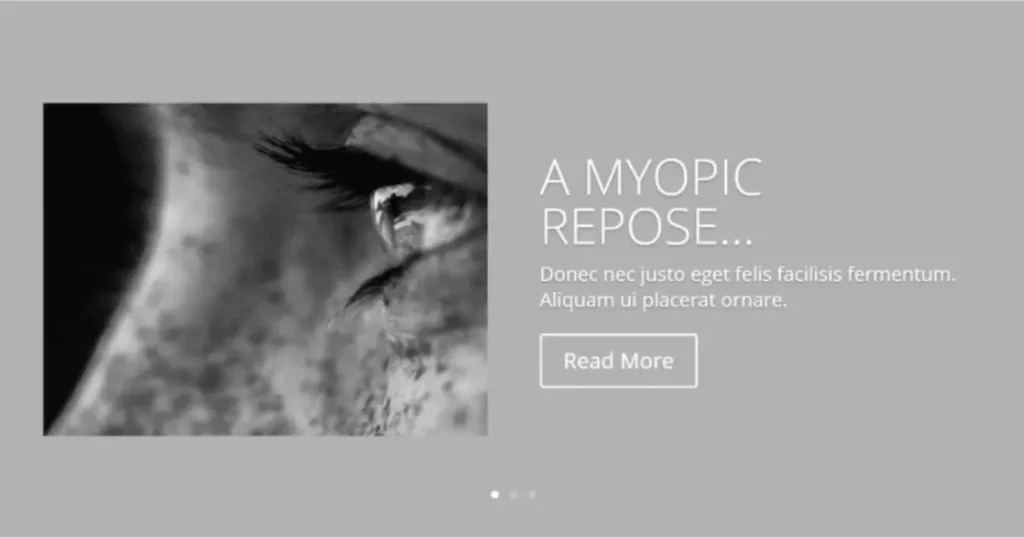
What it is: A category-based magazine style layout, typically featuring sliders and multi-column content sections.
Key features
- Category-driven browsing sections (great for “topic hubs”)
- Slider for latest or featured posts
- Multi-column structure for a true magazine feel
Benefits
This is a strong choice if your goal is “more pageviews per visitor.” Magazine layouts are built to make people click again and again, which is great for ad-based blogs and content-heavy sites.
Pros
- Excellent for increasing internal clicks and time on site
- Great for multiple categories and frequent posting
- Strong “publication” vibe
Cons
- Can feel busy if your brand is minimalist
- Needs good category organization to really shine
Best for: online magazines, news-style blogs, category-heavy sites.
7) Elegant Blog Page (Free)
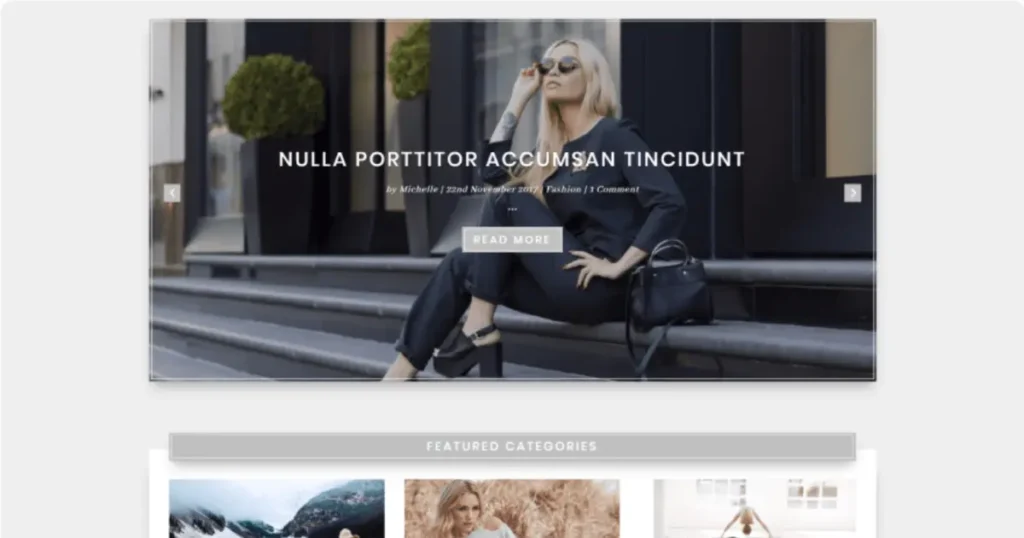
What it is: A free blog page layout with custom styling for posts and sidebar, often using extra CSS/JS for a more magazine-like presentation.
Key features
- Slider at the top for featured posts
- Featured categories section with images
- Styled sidebar and post cards for a premium feel
Benefits
This is a great free option when you want a blog page that looks like a curated content hub, not just a chronological list.
Pros
- Free, polished, and visually structured
- Great for featured categories and browsing
- Strong upgrade for “default blog feed” sites
Cons
- Some styling may require careful editing to match your brand
- You’ll want to ensure performance is good if you add extra scripts
Best for: anyone who wants a free magazine-style blog page.
Get the free Elegant Blog Page now.
Learn More: Divi Child Theme Generator – Wp Builder Lab
8) Pixie Blog Layout (Free)

What it is: A free blog layout with a styled header and a clean two-column display for recent posts, plus an email opt-in section.
Key features
- Strong header section that frames the blog well
- Two-column grid for recent posts
- Email opt-in area baked into the layout flow
Benefits
If list building matters, having the opt-in placed naturally under the blog feed is a smart move. It feels like part of the experience, not a random popup.
Pros
- Free and beginner-friendly
- Includes list-building mindset
- Clean, modern aesthetic
Cons
- Doesn’t automatically solve archive/search pages
- You may want a dedicated single post template for the best reading experience
Best for: creators, small brands, bloggers building newsletters.
Get the free Pixie Blog Layout now.
Blog Archive Layouts (category pages and search results)
Archive pages are where a lot of SEO happens, especially when people search topic + “Divi” and land on a category page. If your archives look weak, fix them.
9) Better Blog Page (Archive designs)
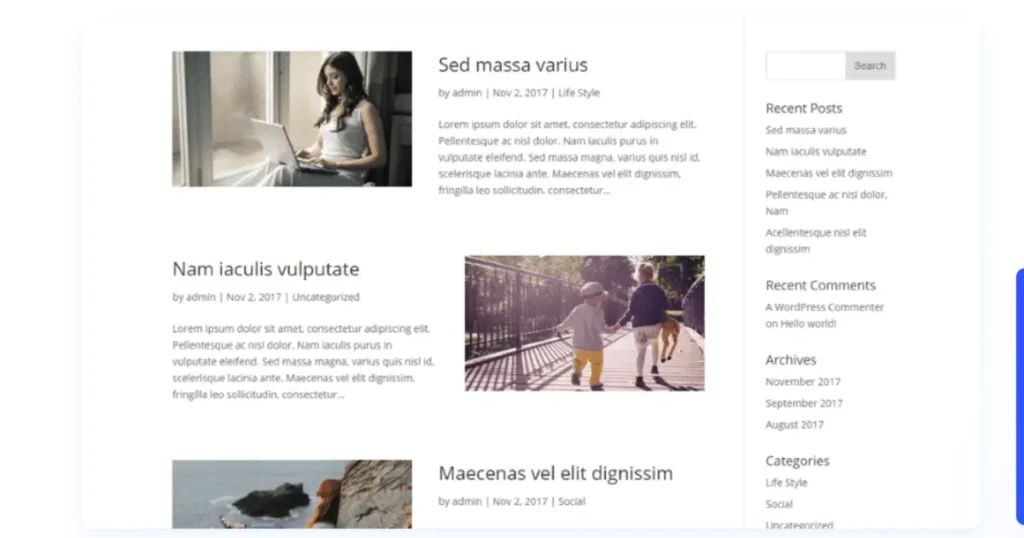
What it is: A set of multiple archive layout designs (single-column, alternating, two-column overlays, card styles).
Key features
- Many archive layout options (not just one)
- Alternating image/text layouts for stronger visual flow
- Overlay designs for modern “card” style archives
Benefits
A strong archive layout improves category browsing and makes your internal SEO pages feel intentional. That’s huge for engagement.
Pros
- Lots of archive layout variety
- Great for category pages and long archives
- Helps your site feel “designed” across deeper pages
Cons
- Needs consistency rules so archives don’t look totally different than your blog page
- More layout options you need to pick a standard and stick to it
Best for: tutorial sites, category-rich blogs, SEO-driven content sites.
10) Archive Results (Free)
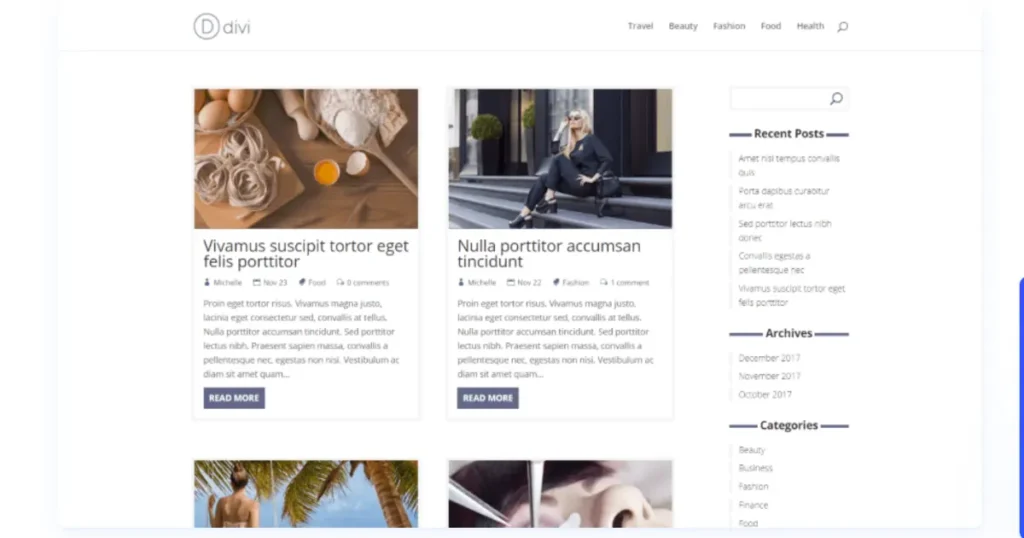
What it is: A free archive/search solution that typically involves adding template files (like archive/search templates) to your child theme and styling them.
Key features
- Better archive and search results layout
- Styled sidebar + navigation
- Designed borders/meta/buttons instead of default styling
Benefits
If you want your category pages and search results to look professional, this is a solid free option, especially if you’re comfortable working with a child theme.
Pros
- Free upgrade for commonly neglected pages
- Makes search and category pages feel consistent
- Great for internal browsing UX
Cons
- Requires a bit more setup than drag-and-drop layouts
- Best used with a child theme workflow
Best for: site owners who want better archives/search without paying for a premium pack.
Get the free Archive Results layout now.
Blog Post Layouts (single post templates)
This is your Divi blog post layout and Divi post layout upgrade zone. If readers don’t enjoy the post template, they won’t stick around.
11) Single Post Layouts (5 templates)
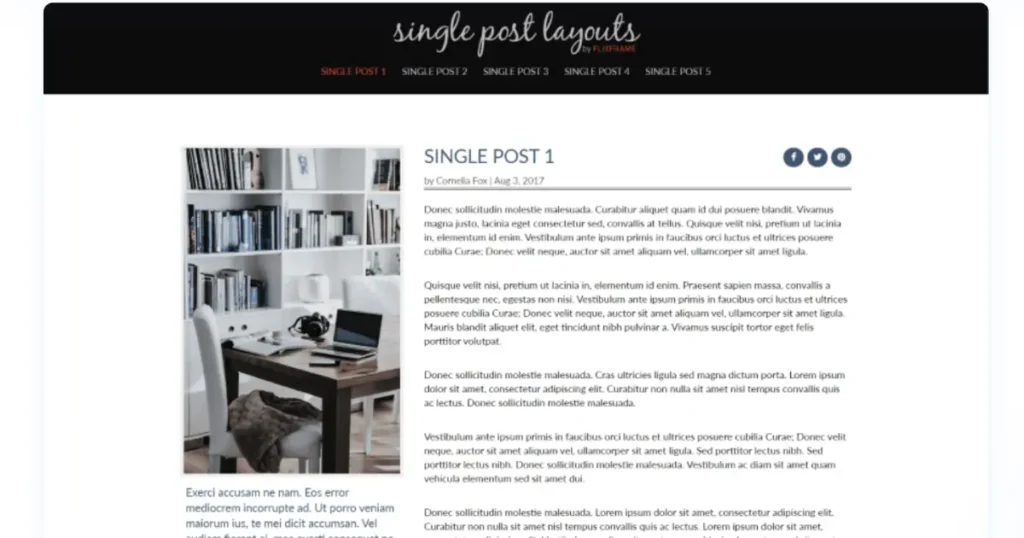
What it is: A pack of five different single post templates that present featured image, title, meta, social buttons, and content in different structures.
Key features
- Multiple post template styles (split, full-width, overlays, boxed content)
- Strong emphasis on readability and visual hierarchy
- Social and author sections designed into the layout
Benefits
If you publish long-form posts, this matters a lot. A cleaner post template can increase scroll depth and time on page, which supports engagement and often correlates with stronger performance.
Pros
- Lots of choices for different content types
- Strong editorial feel without custom design from scratch
- Improves the “reading experience” instantly
Cons
- You’ll want to pick one main template for consistency
- Might need small typography tweaks to match your brand style guide
Best for: long-form bloggers, tutorial sites, agencies, content marketers.
12) Jo Post Layouts (3 templates)
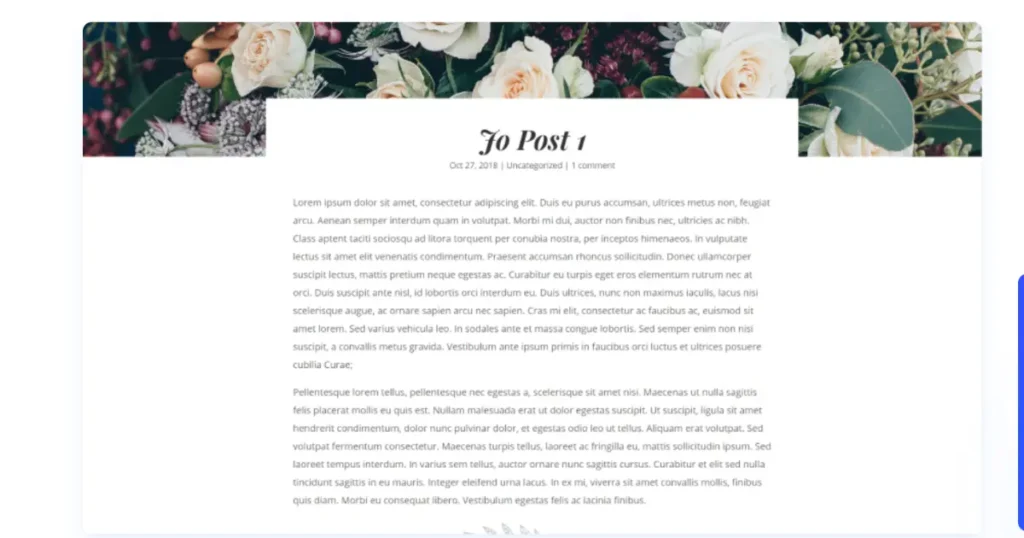
What it is: Three post layout designs that focus on strong featured-image presentation, title styling, and structured content flow, plus styled comment sections.
Key features
- Modern title/header treatments
- Clean content flow designed for readability
- Styled comment sections (often overlooked)
Benefits
If you want a post template that feels modern and “blogger friendly” without heavy complexity, this is a great option.
Pros
- Easy to implement and customize
- Modern design language for single posts
- Great for editorial and storytelling formats
Cons
- Less variety than packs with 5+ templates
- You may want to pair it with a matching blog page layout for best results
Best for: personal brands, editorial blogs, and clean content sites.
Get Jo Post Layouts now.
Where “Divi Blog Extras” fits (and why people search it)
A lot of people search Divi Blog Extras because they want more control over how blog posts display (grids, pagination styles, AJAX loading, category filters, and more). If your goal is advanced blog module behavior, a plugin like that can help. But if your goal is design consistency and a better-looking blog, the layouts above are often the faster win.
A simple approach that works well:
- Use a strong Divi blog layout for the blog page (like Elegant Blog Page or Magnewz).
- Use a dedicated Divi blog post template (like Single Post Layouts).
- Then add extra functionality only if you truly need it.
Conclusion
Choosing the right Divi blog layout isn’t just about making your blog “look nicer.” A stronger layout improves how people read, click, and explore your content, which directly supports engagement, conversions, and SEO. If you want the most consistent results, start with a layout kit that covers the blog page + archives + single posts, so your site feels unified everywhere visitors land (including category and search pages).
If you’re not sure where to begin, pick one goal and move fast: upgrade your blog homepage first, then your Divi blog post layout, and finally your archive pages. Once the design is consistent, you can fine-tune typography, featured images, and CTAs to match your brand and help your posts rank for terms like divi blog templates, divi blog layouts, and divi blog post template.
Learn More: How to add Footer Terms and Condition in Divi 5 – Wp Builder Lab